THE SLATE
Six builds. All live.
Working titles throughout — every name below is a placeholder BNSF can rename. Every demo runs on seeded, fictional data.
01
FOR THE DISPATCHER · WORKING TITLE
Meet Point — network meet/pass planner
Open the demo ↗
A dispatcher holds a subdivision the way an air-traffic controller holds a sector — juggling meets, sidings, and priority calls on instinct built over years. Meet Point puts the same math the best dispatchers already carry in their heads onto the board: which meet costs the least network time, which siding is too short, which delay is about to cascade three trains down the line.
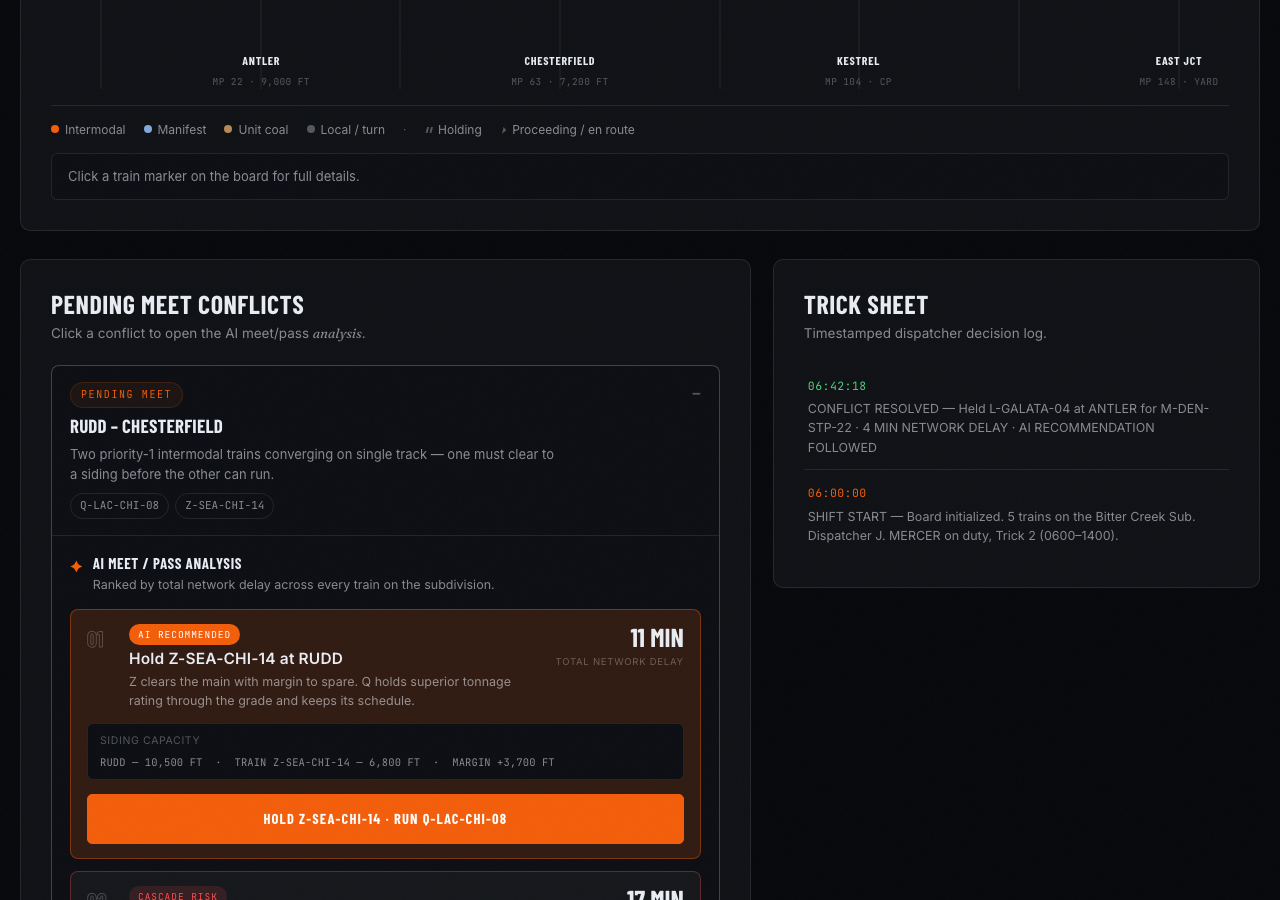
- Live subdivision board — every train, siding, and signal block in one line-of-road view
- AI-ranked meet/pass recommendations with total network delay shown for each option
- Cascade warning flags a downstream conflict before the current meet is even resolved
- Siding-capacity check stops a meet plan that a train physically won't fit
- One-click "hold" vs "run" decision log, timestamped for the trick sheet
bnsf-meet-point.netlify.app
02
FOR THE RAMP · WORKING TITLE
Ramp Sequence — intermodal load-plan & switch list
Open the demo ↗
Building an outbound train by hand means balancing weight distribution, destination blocks, and a production track that only has so many pockets. Ramp Sequence takes today's inbound containers and trailers and returns a full load plan and switch list in seconds — not a shift.
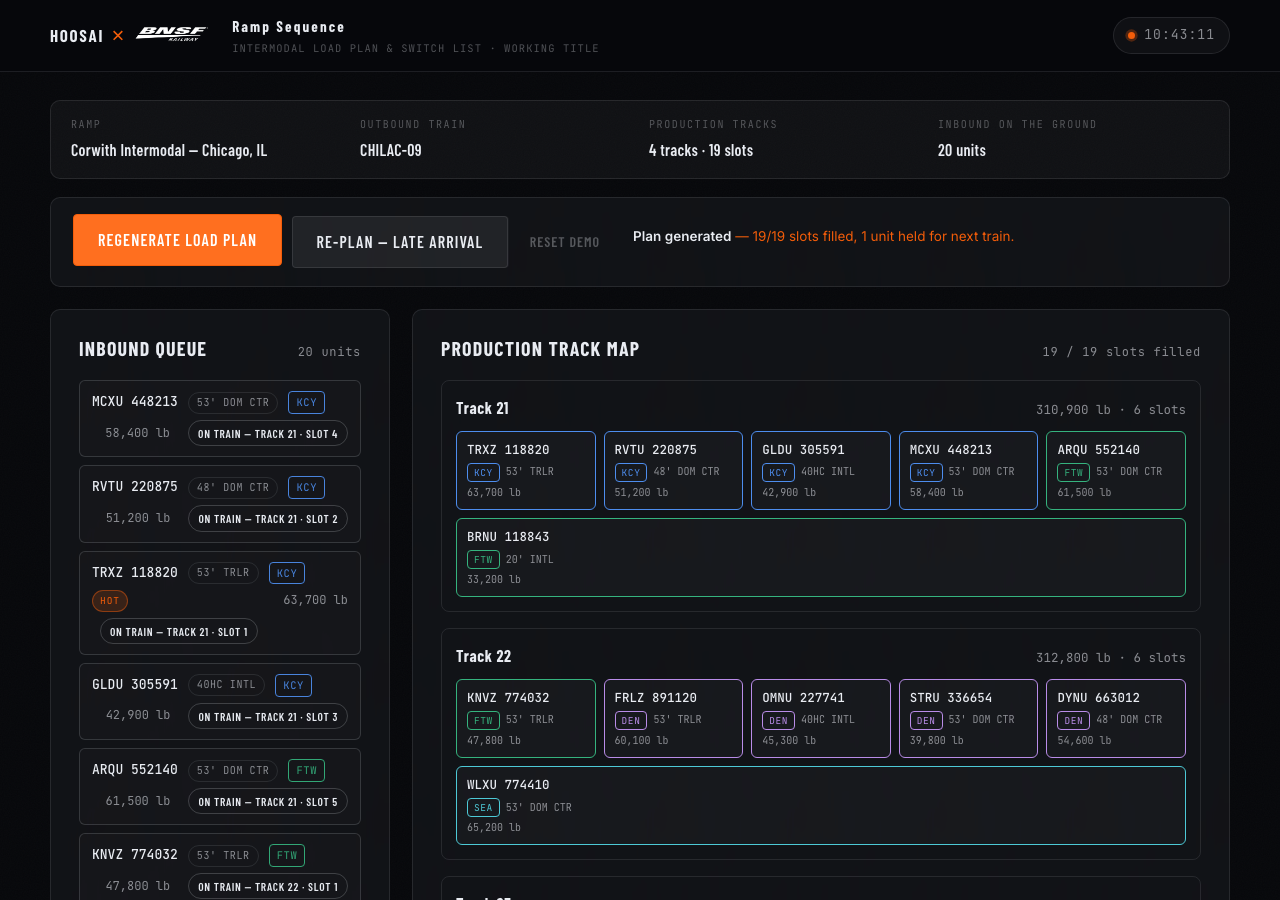
- AI-generated load plan across production tracks, weight-balanced end to end
- Auto-built switch list a hostler crew can run straight off the screen
- Live pocket map shows track fill in real time as units get placed
- Re-plan button reflows the whole train in seconds when a late unit shows up
- Flags an over-length or over-weight block before it reaches the departure yard
bnsf-ramp-sequence.netlify.app
03
FOR THE MECHANICAL DESK · WORKING TITLE
Wayside — predictive maintenance from detector data
Open the demo ↗
Wayside detectors already watch every wheel and brake that rolls past — the hard part is turning tens of millions of daily readings into three cars the mechanical desk should actually pull tonight. Wayside scores every flagged axle by failure risk, not just threshold breach, and drafts the bad-order and shop routing before a human opens the report.
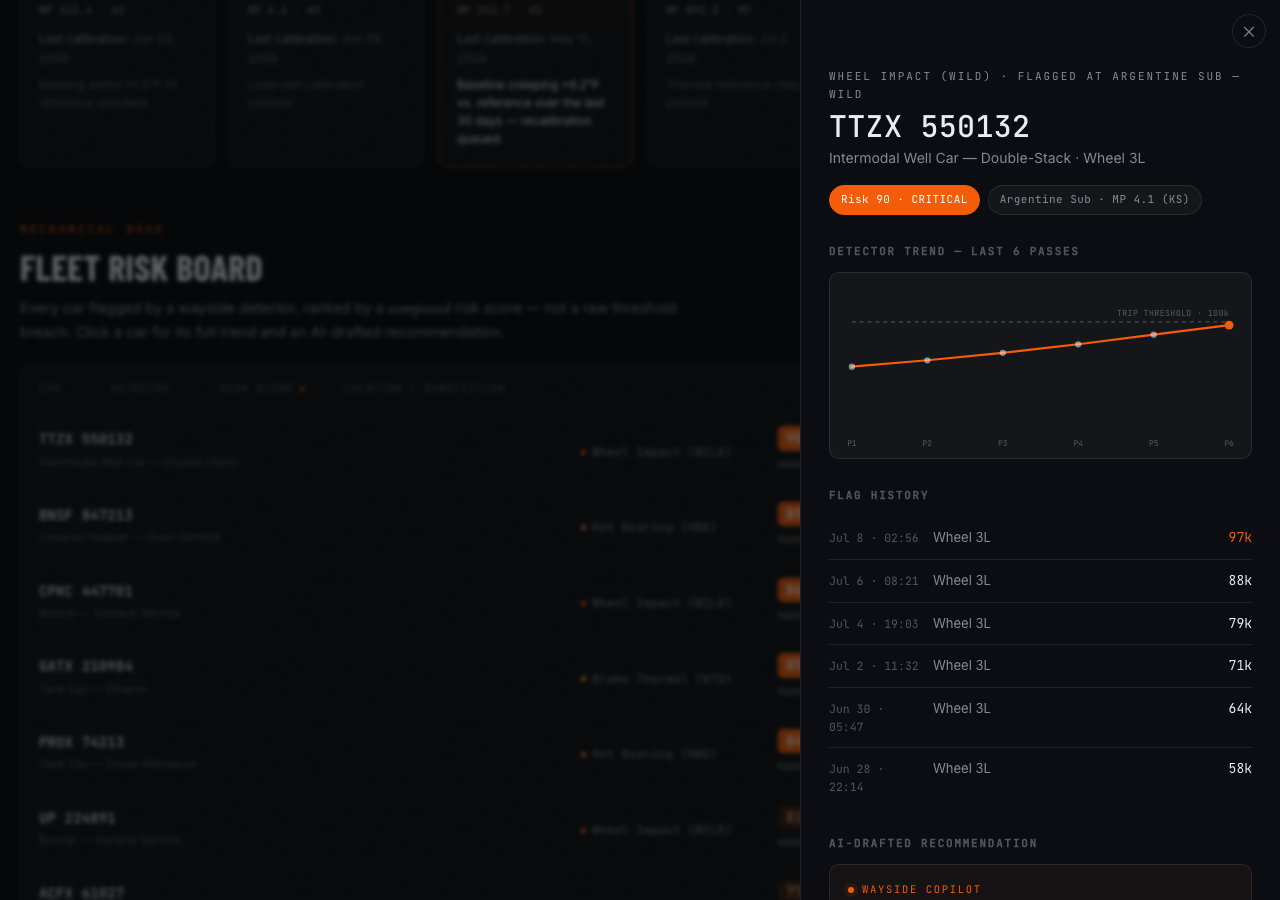
- Fleet-wide risk board pulling wheel-impact, hot-bearing, and brake-thermal detector reads
- Risk score trends a reading over its last 10 passes, not just today's snapshot
- AI-drafted bad-order and shop-routing recommendation, one click to issue
- Detector health map flags a wayside site drifting out of calibration
- Car history trace shows every prior flag for the axle in question
bnsf-wayside.netlify.app
04
FOR CUSTOMER SERVICE · WORKING TITLE
Waybill Copilot — shipment visibility & predictive ETA
Open the demo ↗
"Where's my shipment" is the single most common call a customer service desk fields, and the honest answer usually takes digging across three systems. Waybill Copilot answers in a sentence — current location, predicted arrival with a confidence band, and the exception that's actually causing the delay — and drafts the customer-facing update itself.
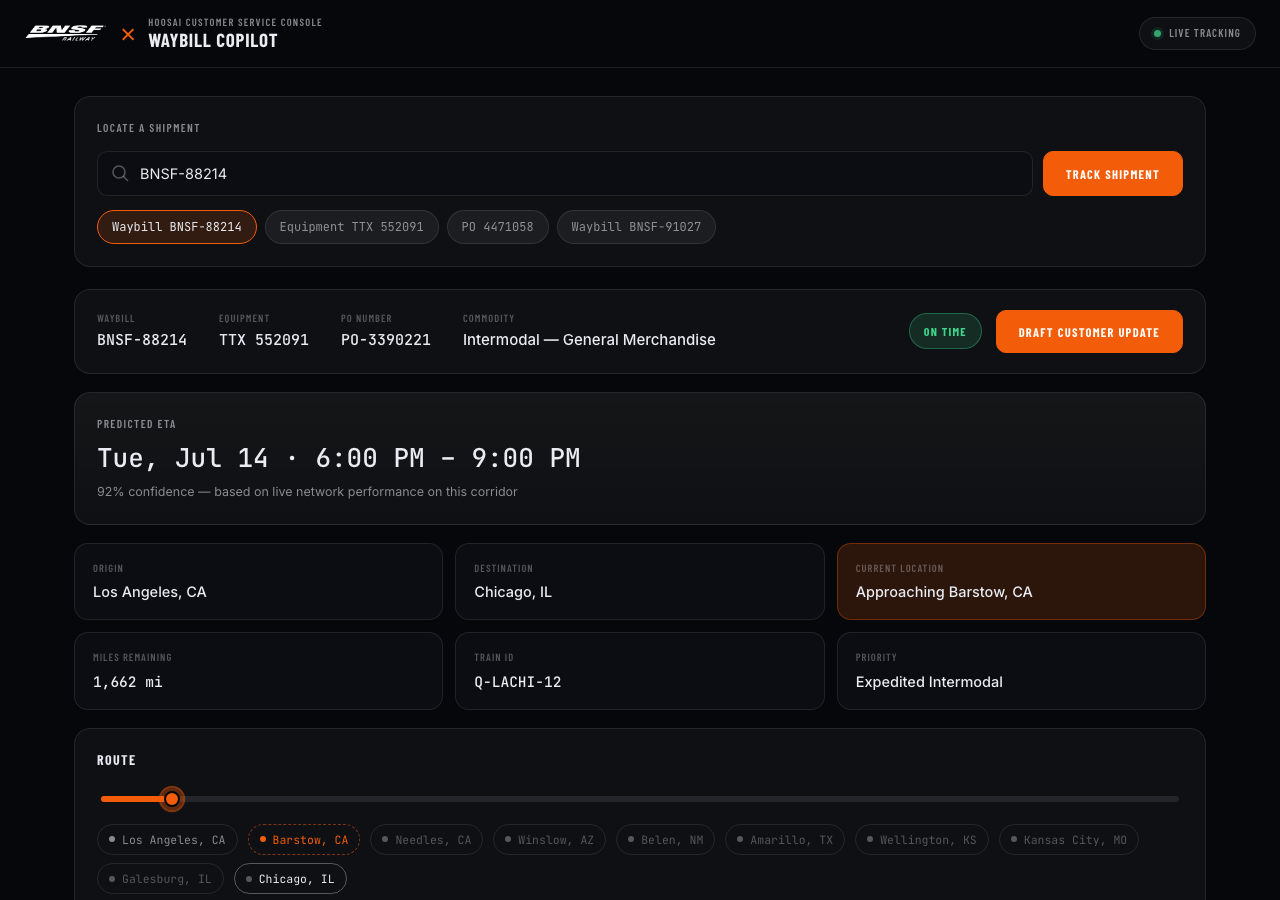
- Natural-language lookup by waybill, equipment ID, or PO — one box, one answer
- Predictive ETA with a confidence band, recalculated as the shipment moves
- Exception feed surfaces the actual delay cause — interchange hold, weather, mechanical
- One-click AI-drafted customer update, tone-matched to the account
- Network map view traces the full route from origin to destination
bnsf-waybill-copilot.netlify.app
05
FOR THE CREW DESK · WORKING TITLE
Callboard — crew calling & Hours of Service compliance
Open the demo ↗
Calling a crew means threading seniority, rest law, and an actual train that needs to move — usually against the clock. Callboard ranks who's legal and rested right now, flags the crew member closing in on a Hours of Service limit before they're called, and builds the call list a clerk can execute in one pass.
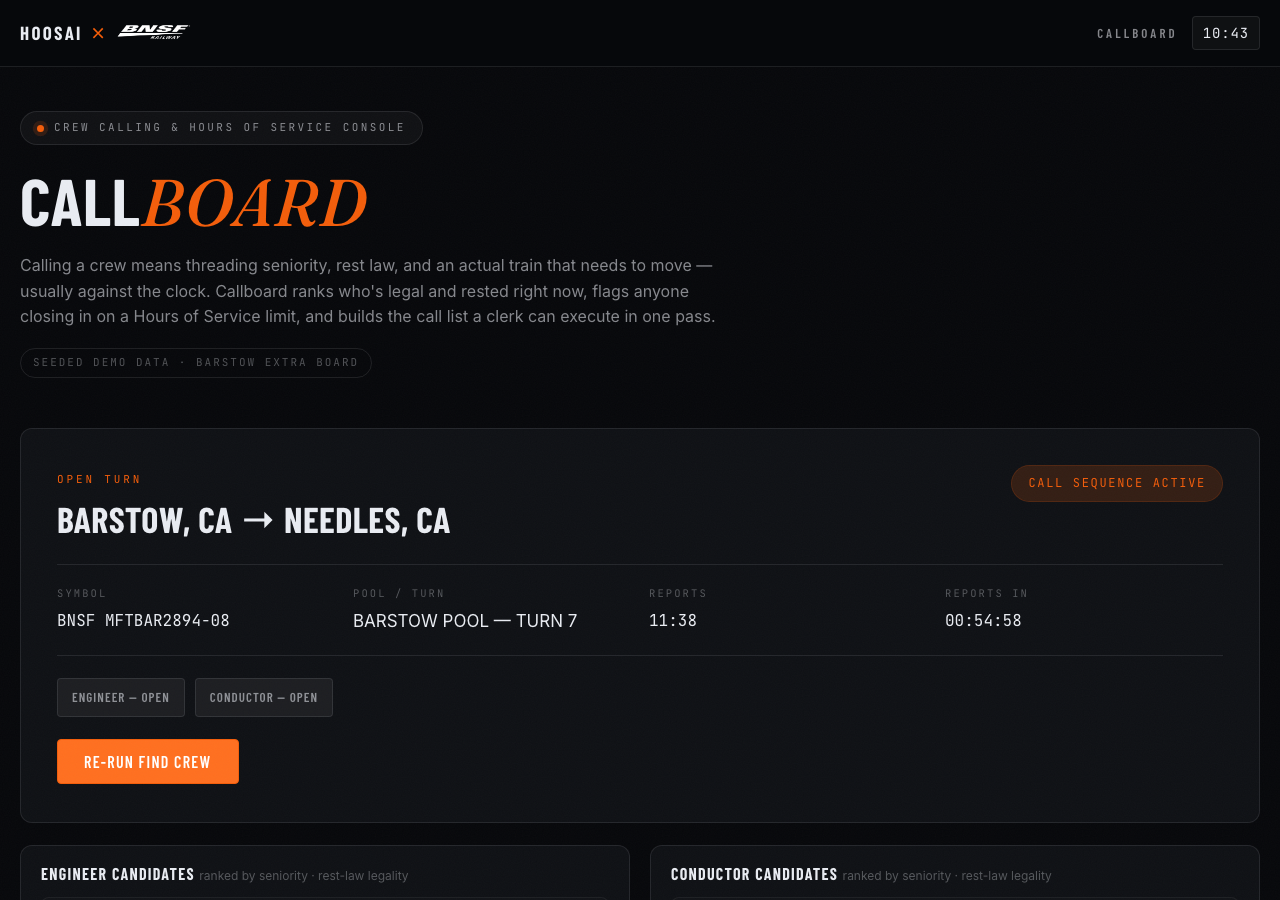
- Live crew board ranked by rest status, seniority, and terminal availability
- Hours of Service countdown per crew member, red-flagged before a limit is at risk
- AI-suggested call order for an open turn, seniority board respected automatically
- Dead-head and final-terminal delay math built into every rest-law calculation
- One-tap call log — who was called, when, and what they said
bnsf-callboard.netlify.app
06
FOR THE SAFETY DESK · WORKING TITLE
Redboard — incident intake & FRA reportability copilot
Open the demo ↗
An incident report comes in from the field. Redboard structures it against the location, equipment, and prior history, drafts the FRA reportability determination with the exact threshold cited, and surfaces a defect-trend cluster before it becomes a pattern someone has to notice by hand.
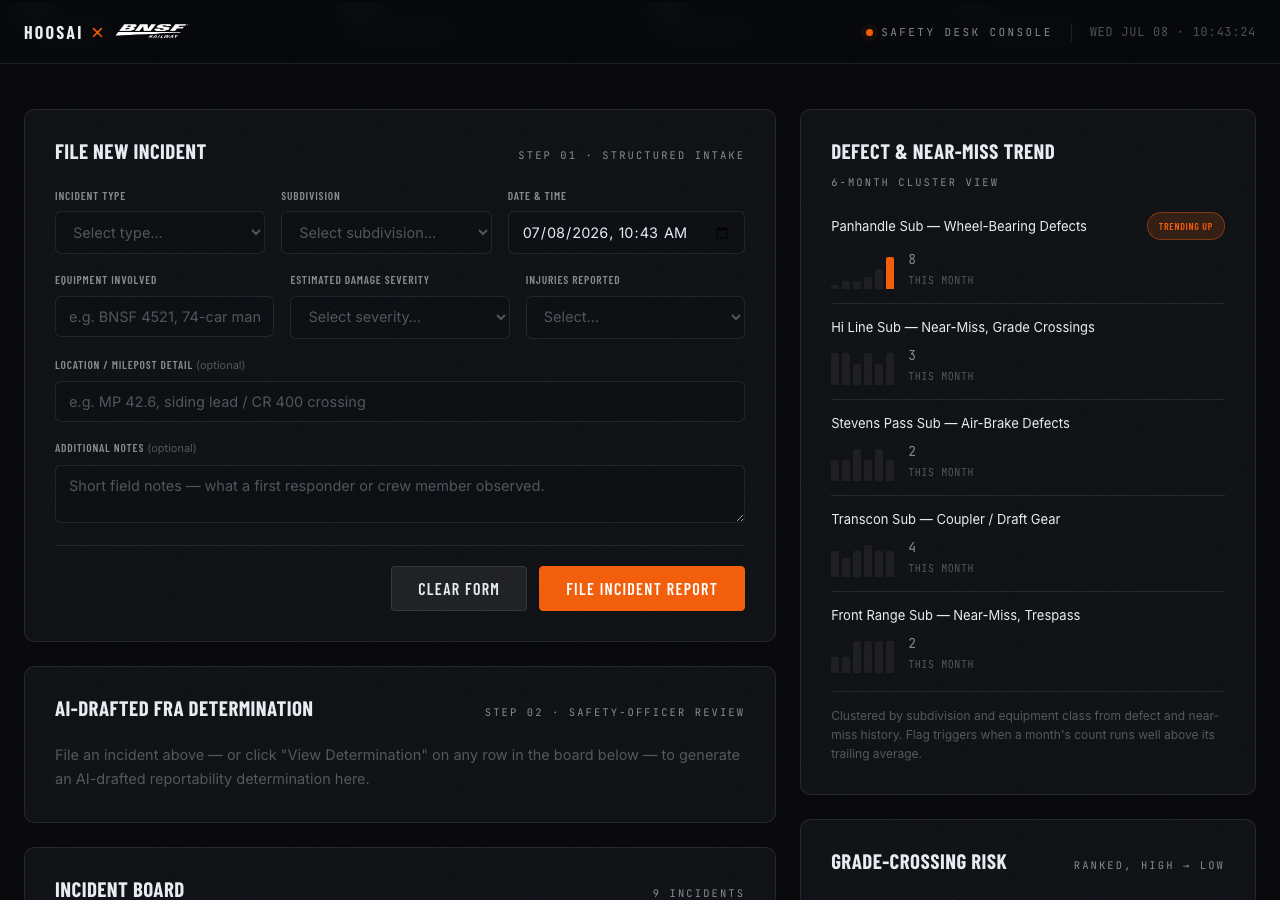
- Structured incident intake — no report starts as a blank text box
- AI-drafted FRA reportability determination with the threshold and form cited
- Defect and near-miss trend view flags a cluster by subdivision or equipment class
- Grade-crossing risk panel ranks crossings by incident and near-miss history
- One click routes a confirmed finding to corrective action with the full record attached
bnsf-redboard.netlify.app